Sessy Employee Backend
Set up and manage your whole business through the Sessy platform.
Define and manage calendars, locations, session types, schedules, and access controls.
Personal dashboard showing relevant sessions, member tags, notifications, and checklists.
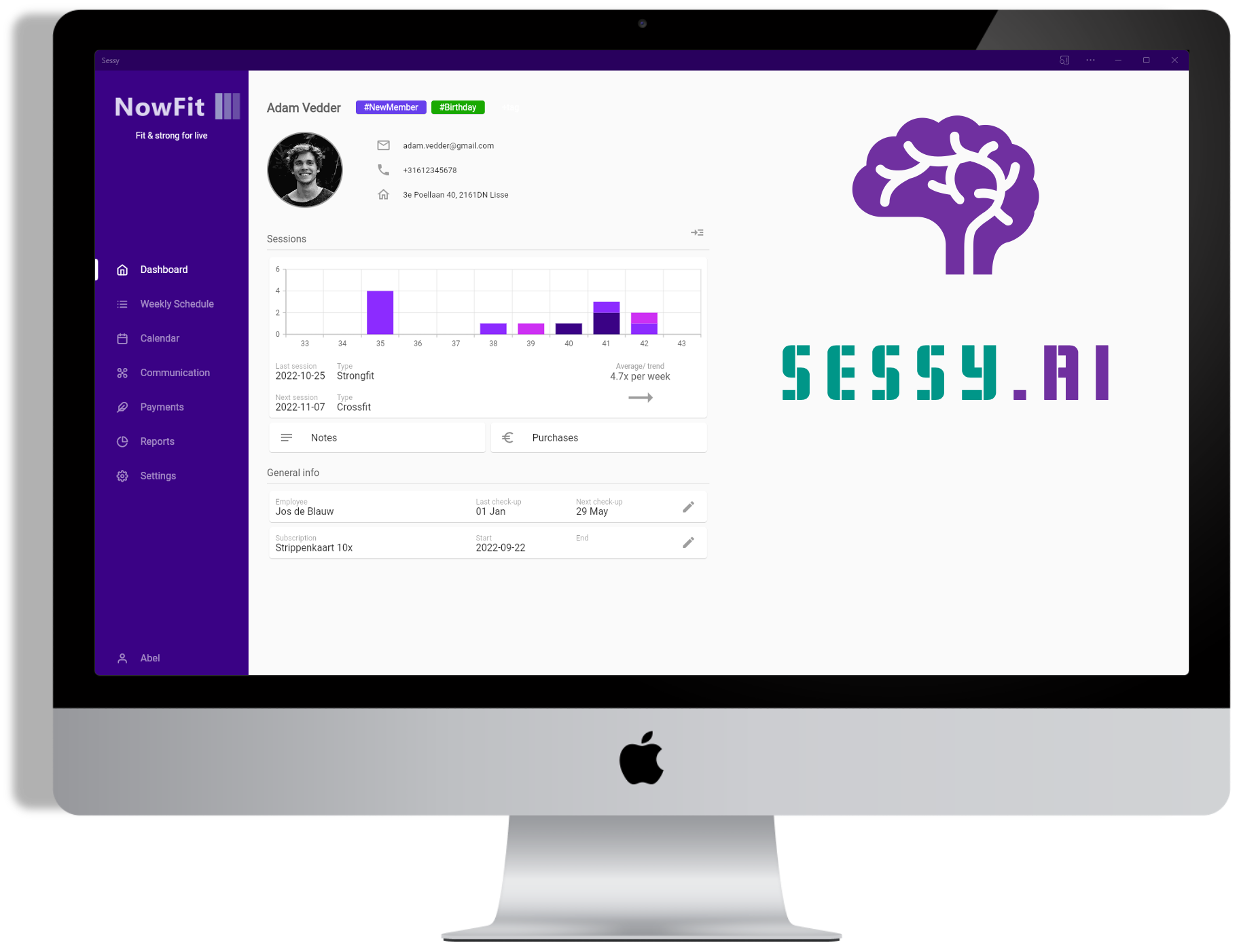
Complete member information including contact details, history, subscriptions, and payments.
Monitor your business with detailed insights into members, sessions, occupancy, and revenue.
App Branding
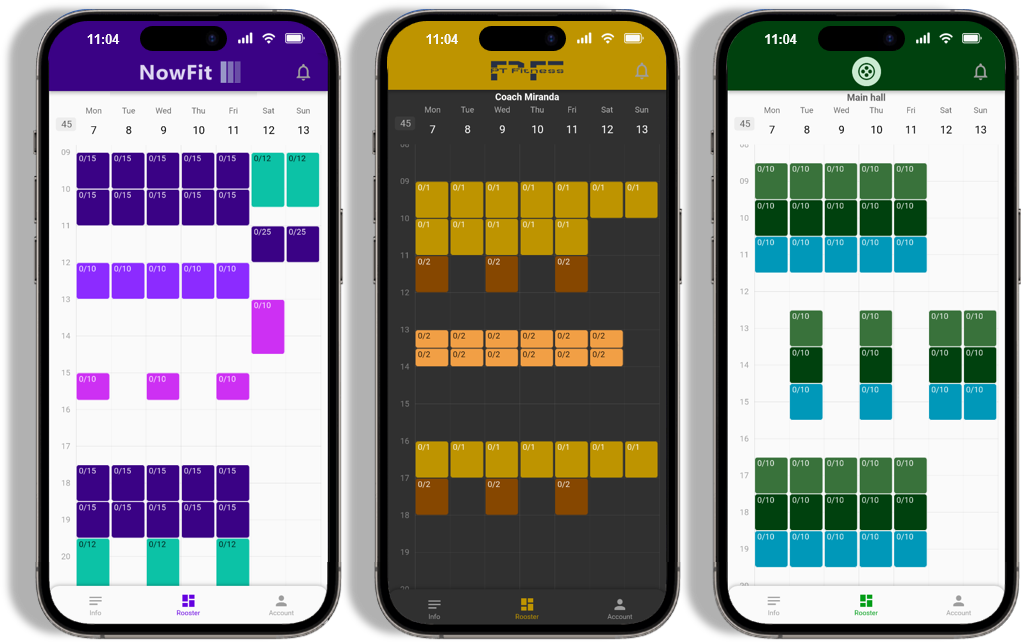
Make the backend and member app look like your own custom-built app by applying your logo and brand color scheme.
Calendar/Location Management
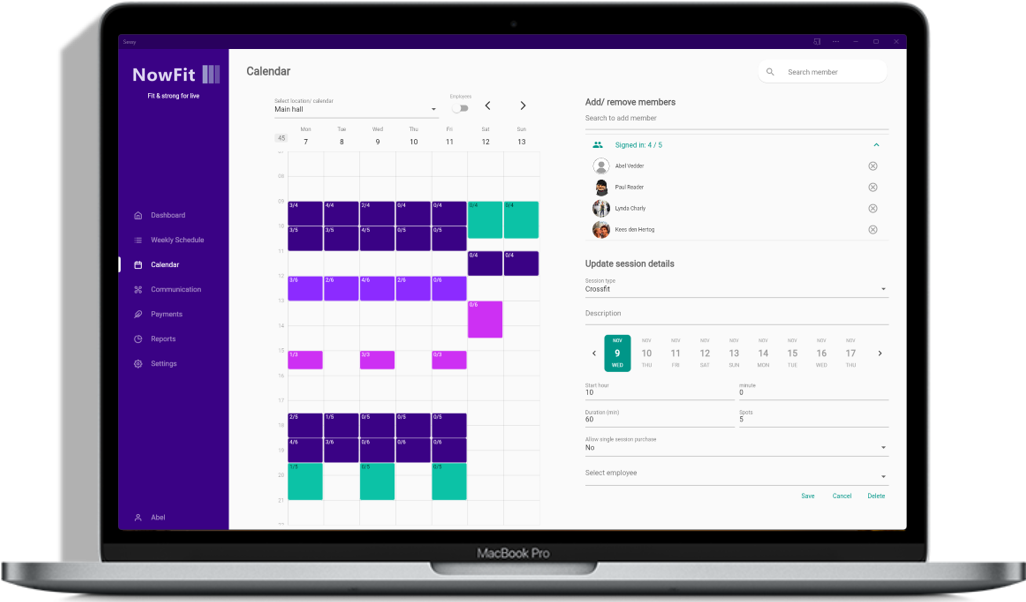
Define and manage as many calendars as you want. A calendar can either be a location where sessions are to be held or a personal calendar (e.g. a coach/personal trainer). In each calendar you can schedule as many sessions as needed.
From the same backend area, you can also configure QR-based entrance flows for staffed and unstaffed facilities.
Among other things Sessy lets you define:
- Session types
- Session start time/duration
- Max number of participants
- Weekly recurring schedules
- Coach/employee schedules
- Session access (through subscriptions)
- Single access vs subscription only
- QR access devices and credentials
- Location restrictions per scanner/device
- Real-time validation and access logs
QR Access Control for Entrances
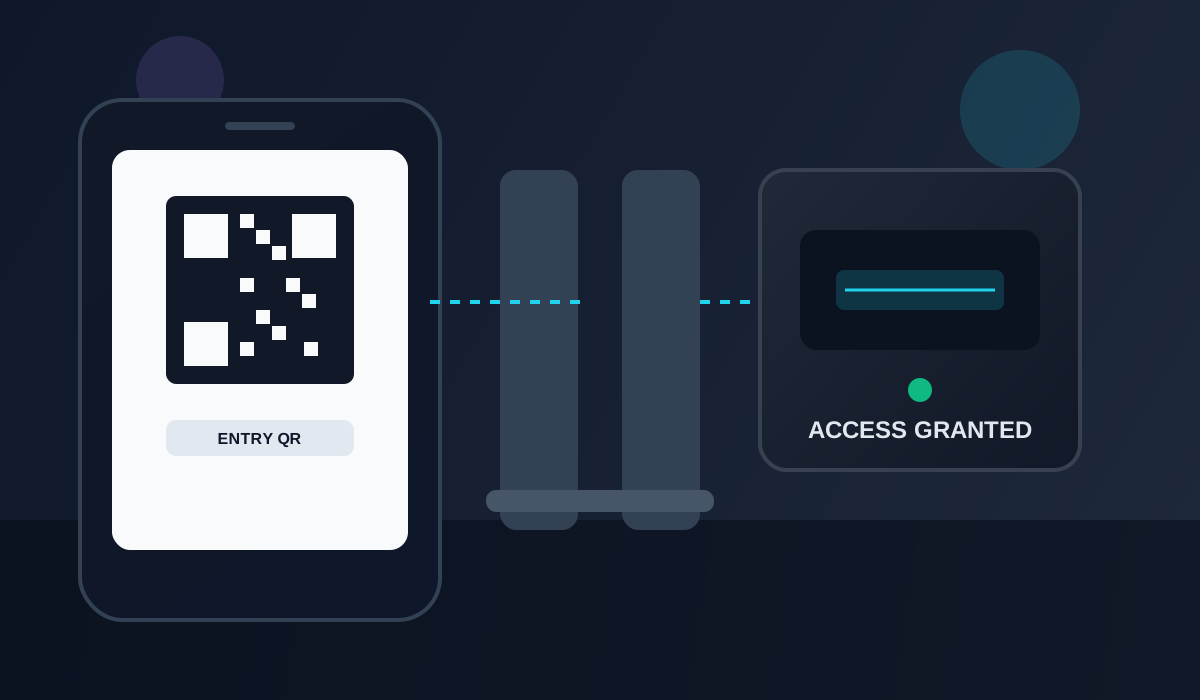
Manage secure member entry flows directly from the backend:
- Register QR scanners/access devices
- Link devices to one or multiple locations
- Validate member access in real time based on subscription and location rules
- Review recent access attempts from one overview
This setup works for staffed reception flows and unattended 24/7 entrances.
See QR access device setup docs →
Coach Dashboard
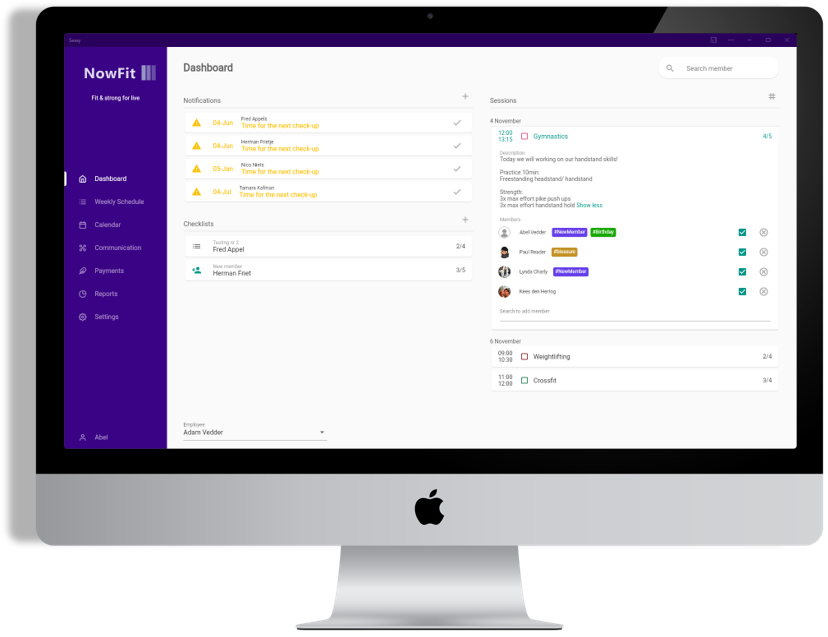
Each employee/coach can have their own dashboard, showing only the relevant information for that specific employee/coach, such as:
- Personal session schedule - An overview of the upcoming sessions for which the coach/employee is responsible, including session description and bookings. It is possible to register/unregister members for sessions right from the dashboard.
- Mark as present/no-show - The coach/employee has the ability to indicate whether a member showed up for a session or not.
- Member tags - For each upcoming session the employee/coach can see tags linked to members, that provide relevant information (e.g. tags can be shown if someone has an injury, or is visiting this type of session for the first time).
- Member notifications - For example: for a birthday, reduced visit frequency, extended absence, etc. Employees can create custom future notifications as needed (as a reminder).
- Checklists - Action lists for members that need to be completed (e.g. when onboarding a new member).
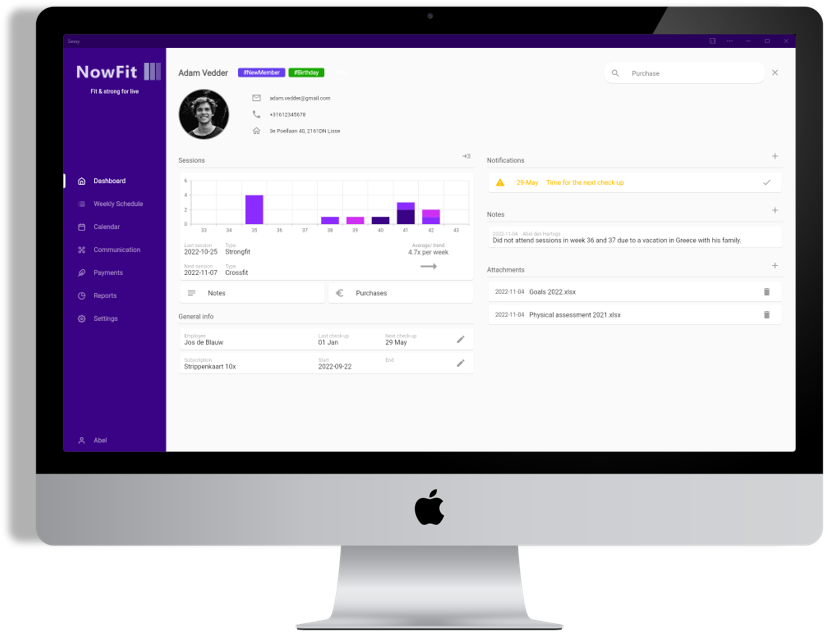
Member Overview
Everything you need to know and manage about a member in a single overview. From anywhere in Sessy you can quickly search and open the member overview. The screen provides insight into:
- Contact information
- Session history
- Visit frequency and trends
- Responsible coach and next checkup date (if applicable)
- Subscription details
- Tags (e.g. if a member has an injury)
- Notifications (e.g. if a member has been visiting less)
- Notes
- Attachments
- Purchases and payment details
Payment Collection
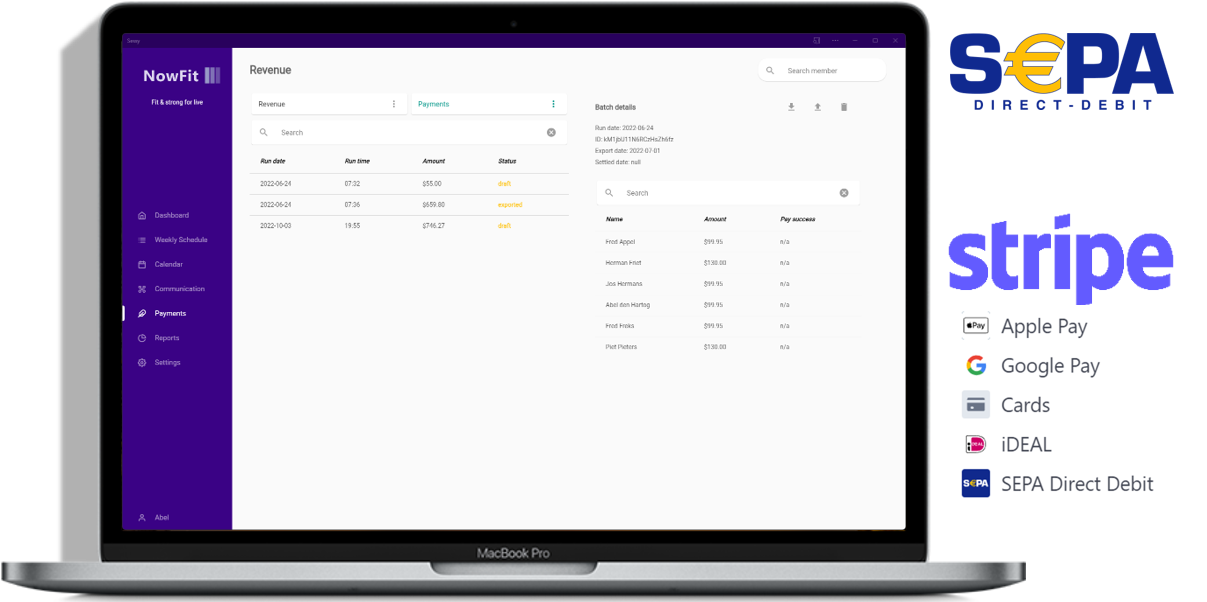
Monitor revenue and manage member payments easily. Sessy offers two options for payments:
Stripe Integration
Offer multiple payment methods to your customers (iDEAL, credit cards, SEPA direct debit, etc.) through our Stripe integration. Payments are collected by Stripe automatically.
SEPA Direct Debit Export
Rather have full control over your payment collection? With the SEPA direct debit export option you can create payment batches within Sessy and import these in your bank environment. Sessy also allows you to monitor payment status.
It’s also possible to use your own payment method and collect payments outside of the Sessy platform.
Member Communication/Notifications
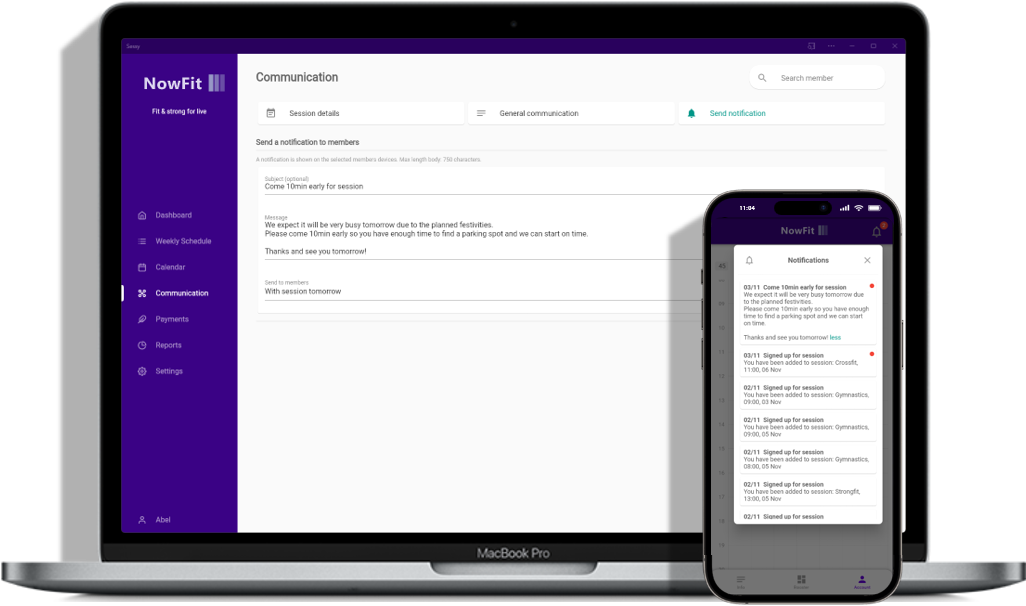
Communicate with your members effectively through the app. Members will receive notifications on their phone of these updates.
- General update/information - The member app has a screen with general information updates that is the same for all members.
- Session details - Provide specific details about each separate session (e.g. share workout details).
- Individual/selected group notifications - Send custom notifications to any member or group of members.
- Newsletters - Full newsletter support to share longer stories, with images and other formatting options.
Reporting & Analysis
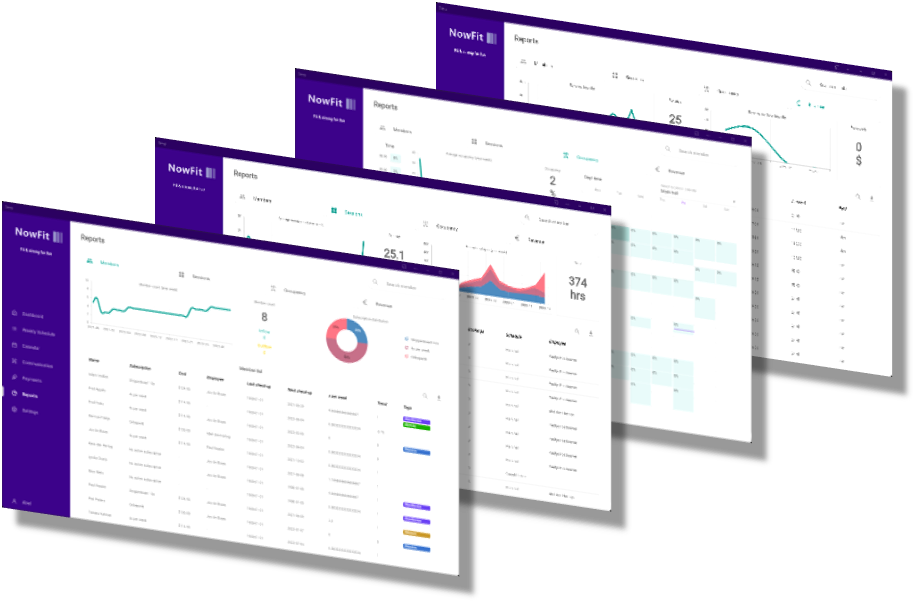
Monitor your business with the Sessy reporting & analysis dashboards:
- Member details - Insights into member count development, inflow/outflow, subscription type breakdown, and other detailed member data.
- Results - Monitor the results logged on benchmarks by your members and track progress over time.
- Session details - Detailed insights into session history for analysis purposes.
- Occupancy - Optimize your schedules by analyzing the occupancy of sessions broken down by day, time, session type, and location/calendar.
- Revenue - Monitor revenue development over time, revenue per worked hour, and other detailed revenue data.
Sessy AI Assistant
Sessy AI is an intelligent assistant that helps you analyze your fitness business data and get instant insights about your members, sessions, and performance metrics. Using advanced AI technology, Sessy AI can understand natural language queries and provide detailed information about your business operations.
Powerful Insights
The AI assistant has access to your business data and can help you answer questions like:
- How many members attended last week’s sessions?
- What are our most popular workout types?
- Which members have specific subscriptions?
- What were the top 1RM results this month?
- Show me member attendance patterns
Future Capabilities
We’re actively working on expanding Sessy AI’s capabilities to include actionable features that will help you run your fitness business more efficiently, such as:
- Scheduling sessions automatically
- Sending targeted notifications to member groups
- Generating workout programs
- Creating reports and summaries
- Identifying at-risk members and suggesting interventions
Ready to start your journey with Sessy?
Start your 30-day free trial today. No credit card required.